Android Tipster

  • Phones
  • Tablets
  • Watches
  • Laptops
  • Gaming PCs
Feb 10, 2018NoahInstagram, instagram, Instagram limits, Social Media, Social Media Automation

Tutorial: Instagram auto-unfollow settings for Jarvee (Social Media Automation Tool)

Lot’s of you have asked me on Skype for my Instagram unfollow settings on Jarvee but it’s been a cumbersome affair helping out each one of you individually, so I’m sharing this short tutorial so everyone can make use of it.

I’m hoping that this tutorial will be sufficient in regards to Instagram unfollow settings but just in case you need some assistance feel free to talk to me on Skype (Diablo2562).

Instagram unfollow settings (Jarvee)

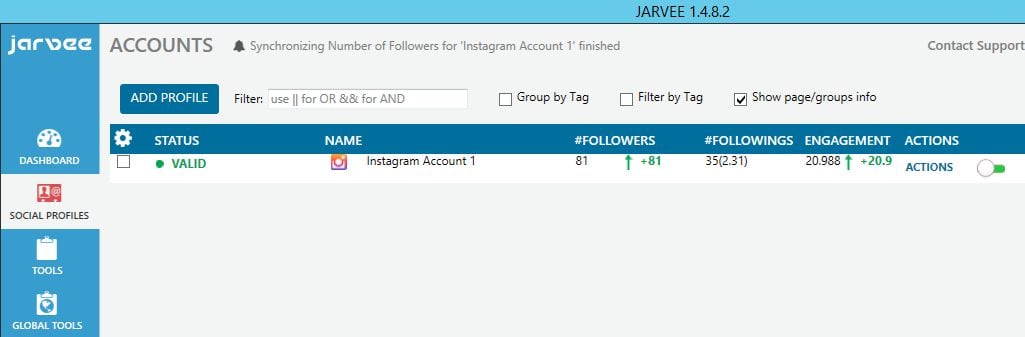
I’ll be using one of my experimental Instagram accounts for this tutorial, the account is a little over 1 week old and has 82 followers and is following 35.

  • The the first step is, of course, to set up your Instagram account on Jarvee.  Instagram account set up unfollow jarvee It should look like what’s shown in the screenshot above when done correctly.
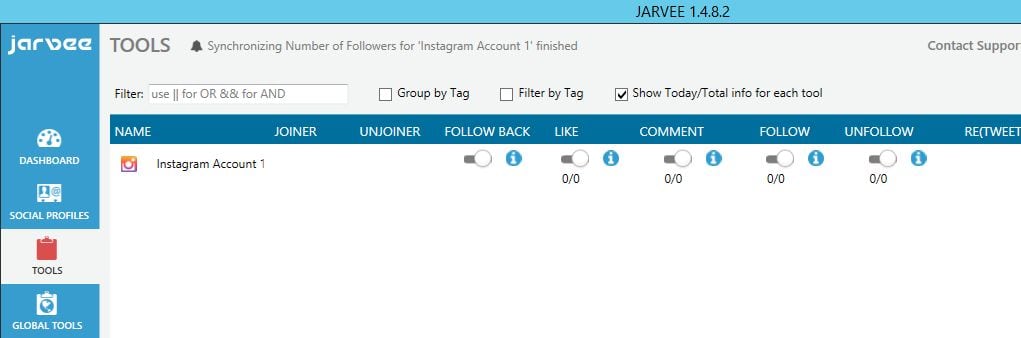
  • On the left vertical bar, click on TOOLS.  Instagram unfollow settings jarvee tools  You’d normally see all the accounts you’ve set up on Jarvee on this interface but I’ve cleared my other accounts to make this tutorial easy to follow and with fewer distractions. Now click on the name of the account (here: Instagram Account 1).  Instagram user interface jarvee  A new interface will open displaying some of the activities you can perform using this social media automation tool. We’re only interested in the unfollow feature so you’re going to need to click on Unfollow which is located between Follow Back and Like. Having done that, you should now see all the options the unfollow feature accords you.
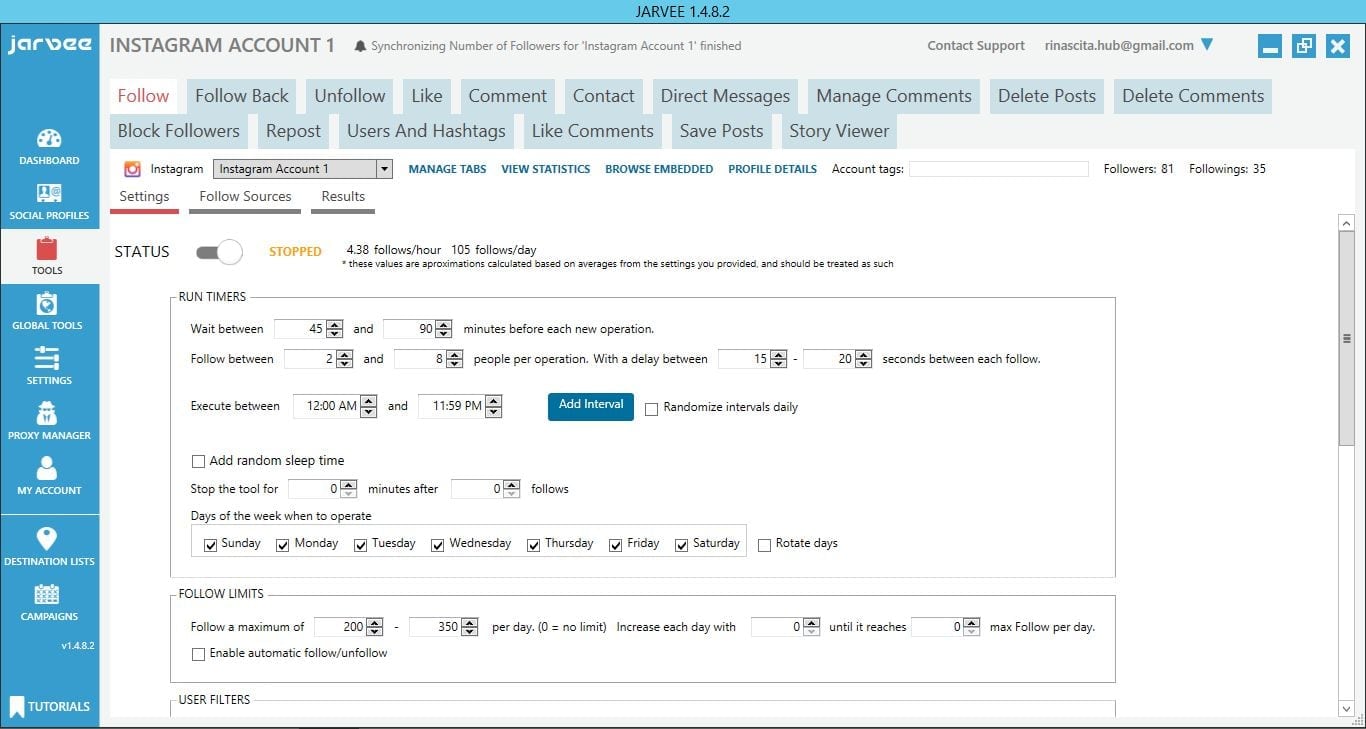
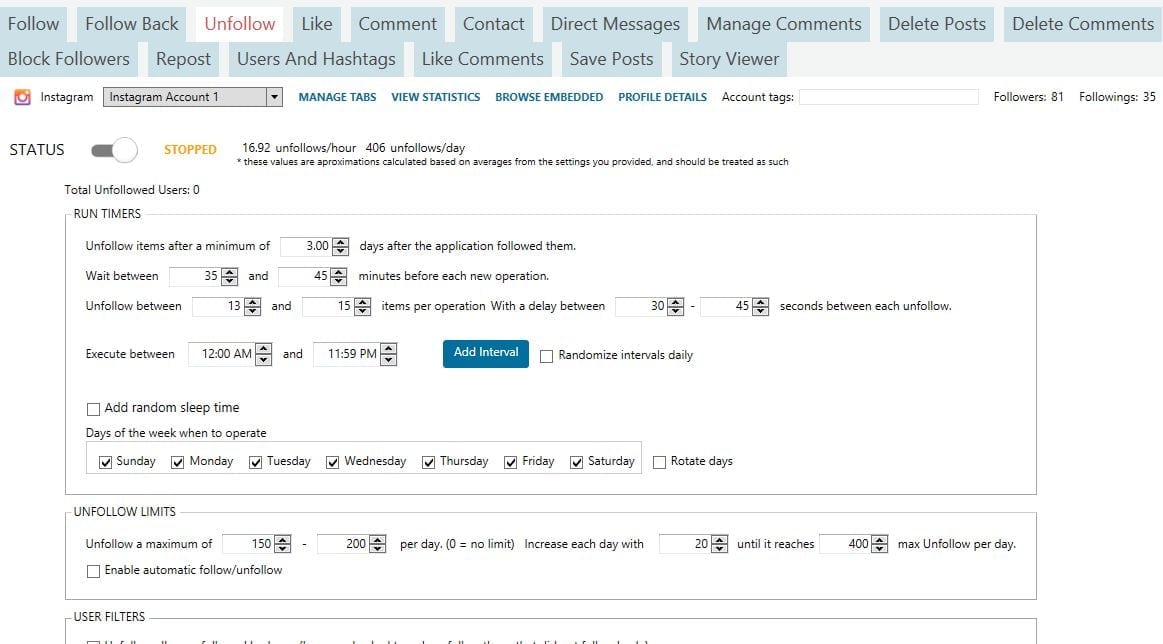
  • I recommend that you shouldn’t follow more than 500 users/day if you’re in this game for the long haul. You’re less likely to encounter any troubles if you keep it much less. I’m going to set the maximum unfollows for this account at 400/day and I’m going to start at between 150-200 on the first day and increase the pace by 20 each day until it reaches my 400/day limit. (Jarvee will automatically adjust these settings until you reach the maximum you set). It is an awesome tool for many reasons, one of them being it calculates the amount of unfollows/day based on your setup so you can play around with the numbers until you arrive at your desired limits.
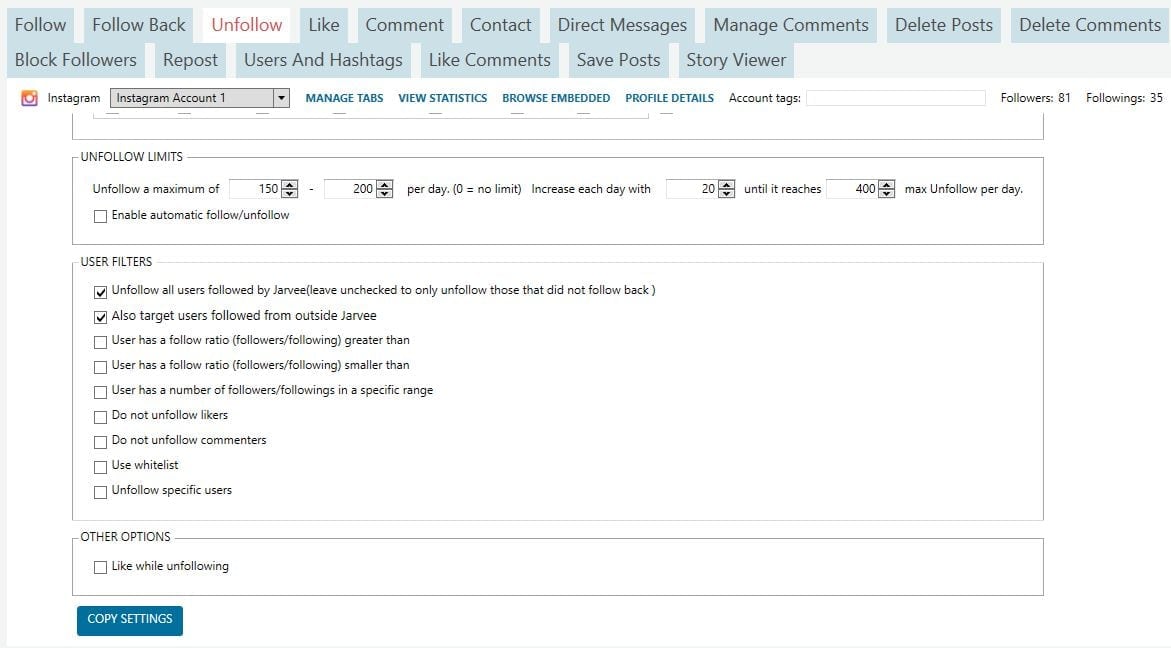
  • Screenshots of my setup:  jarvee instagram unfollow settings 1   jarvee instagram unfollow settings 2
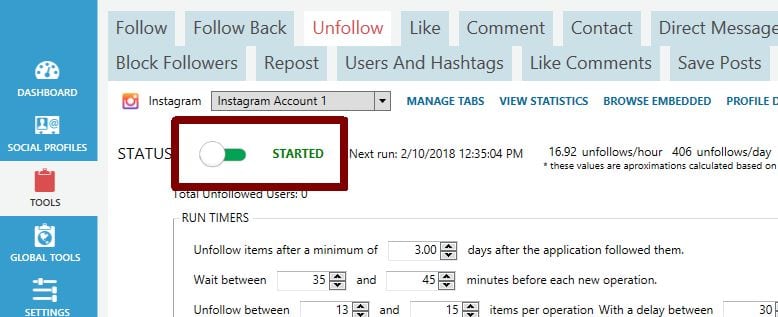
  • Once you’ve set up your own to match mine, scroll back up and turn the unfollow tool on and it should look like:  turn unfollow setting on jarvee
There are a few points I’d like to talk about briefly:

  1. You’ll notice that I chose to unfollow 3 days after following them. Well, this option should be determined by the type of account you’re running. For personal accounts, I would wait up to 5 days to unfollow. For CPA accounts that don’t necessarily require a lot of followers for conversions to occur, I’d wait 2 days before unfollowing.
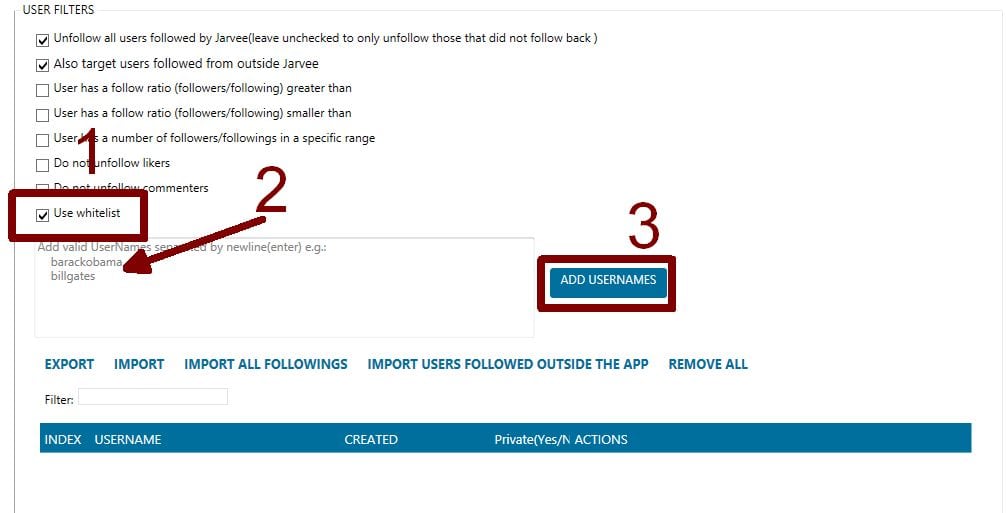
  2. If there are users that you don’t wish to unfollow, you should make use of the whitelist.  whitelist jarvee Make sure it’s checked, paste the usernames of people you don’t want to unfollow and hit ADD USERNAMES.
That’s it, you’re all set!

PS: If you need a powerful VPS for cheap, reach me on Skype Diablo2562 and I’ll connect you to a reliable provider I currently use.

Share this story
Share

Related Posts

Tutorial: Targeting Instagram users in specific locations using Jarvee
Jun 15, 2018

Tutorial: Targeting Instagram users in specific locations using Jarvee

Instagram Follow Limit Updated October 2023
Jan 1, 2020

Instagram Follow Limit Updated October 2023

Jarvee Instagram Like Tool Tutorial (Social Media Automation)
Feb 11, 2018

Jarvee Instagram Like Tool Tutorial (Social Media Automation)

Related Topicsbest social media management toolsInstagram unfollow settingsjarveesocial media automation
Avatar photo
Noah

Noah is a technology enthusiast at heart. He writes about tech, various topics trending on digital media and offers solutions to everyday gadget issues | Facebook Profile

Related Posts

  • How to Change Profile Picture on Messenger Android
    How to Change Profile Picture …
  • How To Record On Snapchat Without Holding The Button On Android
    How To Record On Snapchat …
  • How to unfollow inactive Instagram users in 2020 (Updated!)
    How to unfollow inactive Instagram …
  • Recommended Instagram follow settings when automating with Jarvee
    Recommended Instagram follow settings when …
  • About
  • Privacy Policy
  • Contact Us
  • Affiliate Disclaimer
  • SiteMap

Recent Posts

  • Why is there a Red Light on my Phone Near the Camera on Android
    Why is there a Red Light on my Phone Near …
  • What is Meta App Manager on Android and How to Remove It
    What is Meta App Manager on Android and How to …
  • Network May be Monitored by an Unknown Third Party Android
    Network May be Monitored by an Unknown Third Party Android
  • How to Update Android OS Without SIM Card
    How to Update Android OS Without SIM Card

Android Tipster

Android Tipster Copyright © 2026.
All Rights Reserved.